

Sum Your Clouds and Cut Subscriptions: How to Turn Free Cloud Accounts Into One Bigger Storage Space
Cloud storage should make life easier, but for many users it does the opposite. Photos end up in one account, work files in another, backups somewhere else, and every provider keeps pushing the same message: upgrade now, pay monthly, get more space.
That is why more people are looking for a better way to use the cloud space they already have. Instead of paying for yet another subscription, they want to combine free storage accounts into one practical environment that feels easier to manage and more cost-efficient over time.
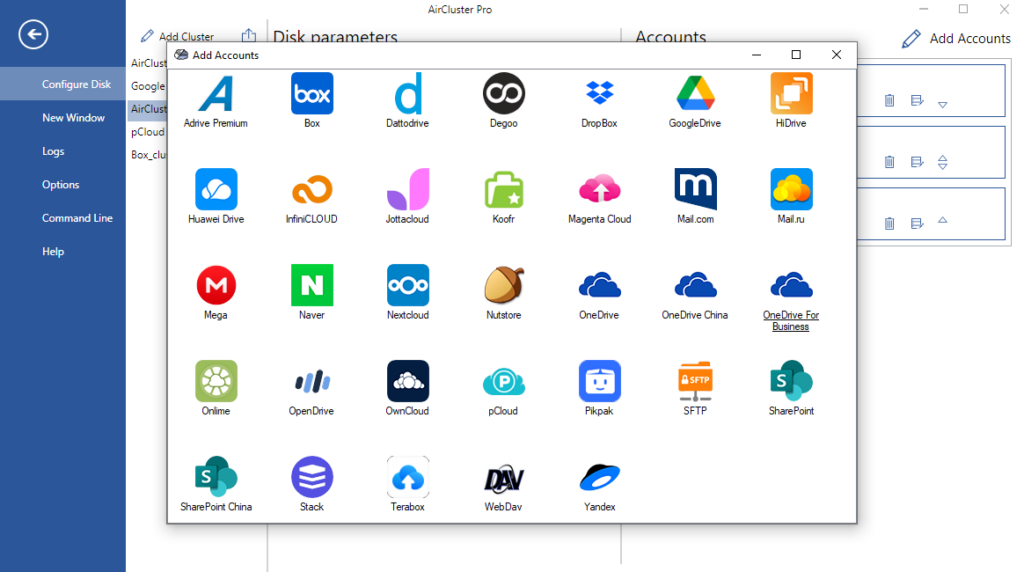
Air Cluster is designed for exactly that purpose. It lets users combine multiple cloud accounts into a single cluster, creating one larger storage space from separate services and accounts. It supports major providers such as Google Drive, OneDrive, MEGA, and Box, which makes it useful for anyone whose free space is spread across different platforms.
Why Users Want to Combine Cloud Storage
Subscription fatigue is no longer just a budgeting issue. It is a workflow problem. Every extra plan adds another recurring charge, another platform to manage, and another place where files can become fragmented.
This is especially frustrating for home users who mainly want a safe place for family photos, videos, and personal documents. It is also a real issue for freelancers and professionals who need room for archived projects, exported files, and long-term backups without turning storage into another fixed monthly expense.
In many cases, users already have enough free cloud space in total. What they do not have is a simple way to use that space as one logical unit. That is where the idea of cloud pooling becomes attractive: not more subscriptions, but better use of what already exists.

What Air Cluster Does
Air Cluster uses cloud pooling to unify multiple cloud accounts into one cluster that behaves like a larger storage pool instead of a collection of disconnected accounts. This changes the experience from managing several small storage limits to working with one broader capacity that is easier to organize.
That difference matters because fragmented storage creates friction. When files are divided across providers, users waste time checking where space is available, moving folders manually, or deciding which account should hold each backup. A cluster-based approach removes much of that friction by giving those accounts a single structure.
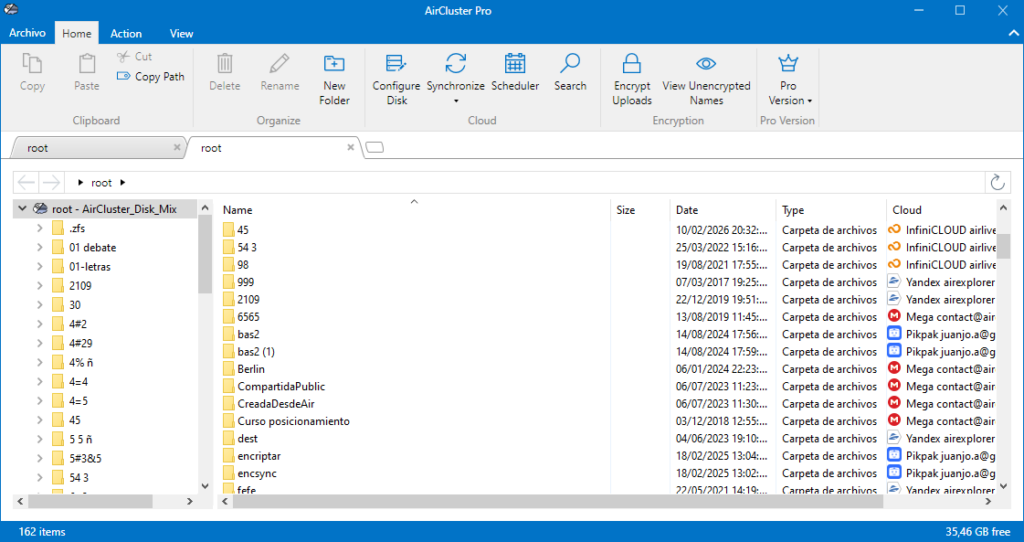
Air Cluster also works directly with the cloud rather than requiring a full local copy of your data, and it only uses the local space needed to manage transfers or synchronization processes. For users with limited disk space on their PC, that makes the software much more practical for everyday use.
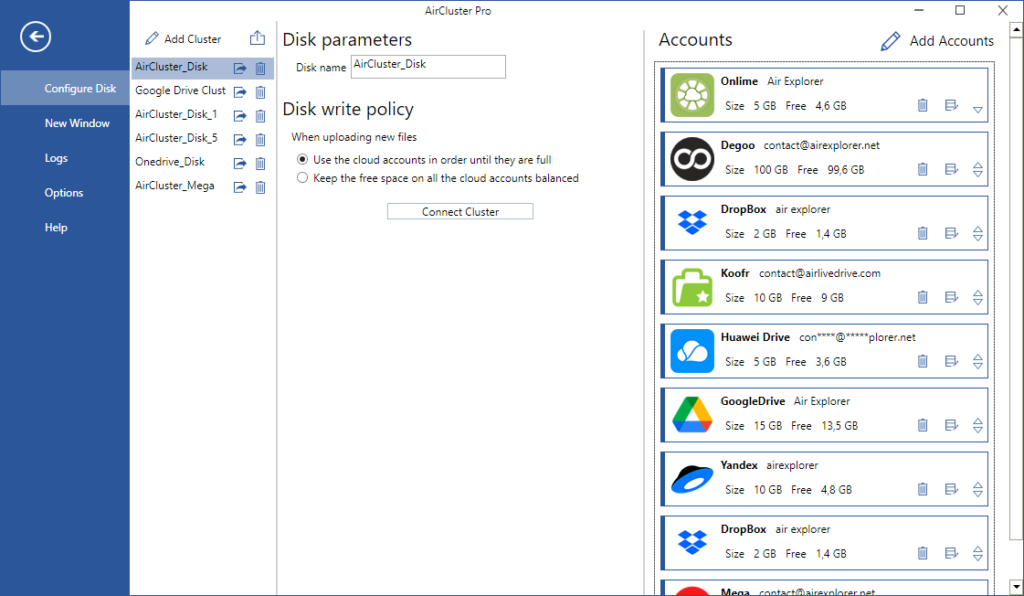
Another important advantage is flexibility. A cluster can include accounts from different cloud providers, and it can also include multiple accounts from the same provider, which is helpful for users who have accumulated several free accounts over time.
How to Start Using Air Cluster
The setup process should be explained clearly, because this is where many articles get it wrong. The correct workflow is to create the cluster first and then add the cloud accounts that will belong to it.
Here is the proper sequence:
- Create a new cluster in Air Cluster.
- Add the cloud accounts you want to include in that cluster.
- Configure how that cluster will organize and use the combined available space.
- Start using the cluster to transfer, synchronize, or back up files across your cloud storage environment.
A Smarter Alternative to Buying More Storage
The strongest commercial argument for Air Cluster is simple: many users do not need to buy more cloud space immediately; they need to use their existing space more intelligently. Air Cluster positions itself as a way to sum all your clouds and create one unified cloud space, rather than forcing you to manage each provider separately.
If your files are spread across too many clouds and your storage costs keep growing, Air Cluster offers a more efficient alternative. By creating a cluster first and then adding your cloud accounts, you can turn separate free storage plans into one unified space for backups, synchronization, and file management.
You can check more information about more features here:
-Limitless Efficiency: Set It Up Once, Let Air Cluster Sync Forever
-Manage Your Storage Clusters on a Scheduled Basis
-Air Cluster vs MultCloud: Which One Do You Actually Need?
