

Air Cluster vs MultCloud: Full Comparison
Air Cluster vs MultCloud: Which One Do You Actually Need?
If you’ve been comparing cloud storage managers, you’ve likely come across both Air Cluster and MultCloud. They both deal with multiple cloud accounts, but they solve very different problems, and picking the wrong one wastes time.
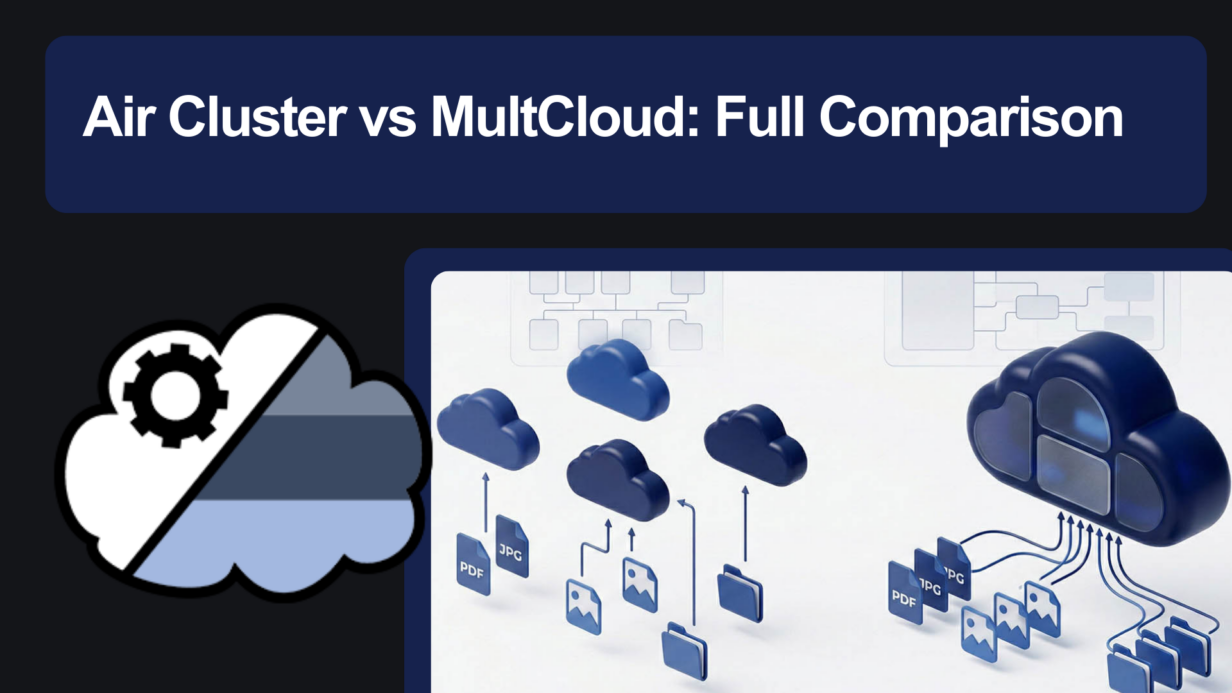
Here’s the short answer: Air Cluster pools your cloud storage into one large virtual drive. MultCloud moves files between cloud services. They’re not really competitors, they’re tools built for different workflows.
This comparison breaks down exactly what each one does, where they differ on privacy, and which one fits your situation.
Air Cluster vs MultCloud: Side-by-Side
| Feature | Air Cluster | MultCloud |
|---|---|---|
| Platform | Windows desktop app | Web-based (SaaS) |
| Cloud Pooling | ✅ Merges storage across accounts | ❌ Not available |
| Cloud-to-Cloud Transfer | ✅ Yes | ✅ Yes |
| Data Privacy | Direct PC → cloud connection | Files route through MultCloud servers |
| Price | Free + Pro (one-time license) | Free (limited) + monthly subscription |
| File Encryption | ✅ Built-in, client-side | ❌ Not available |
The Core Difference: Cloud Pooling vs Cloud Transfer
This is where most people get confused, and where the two tools genuinely diverge.
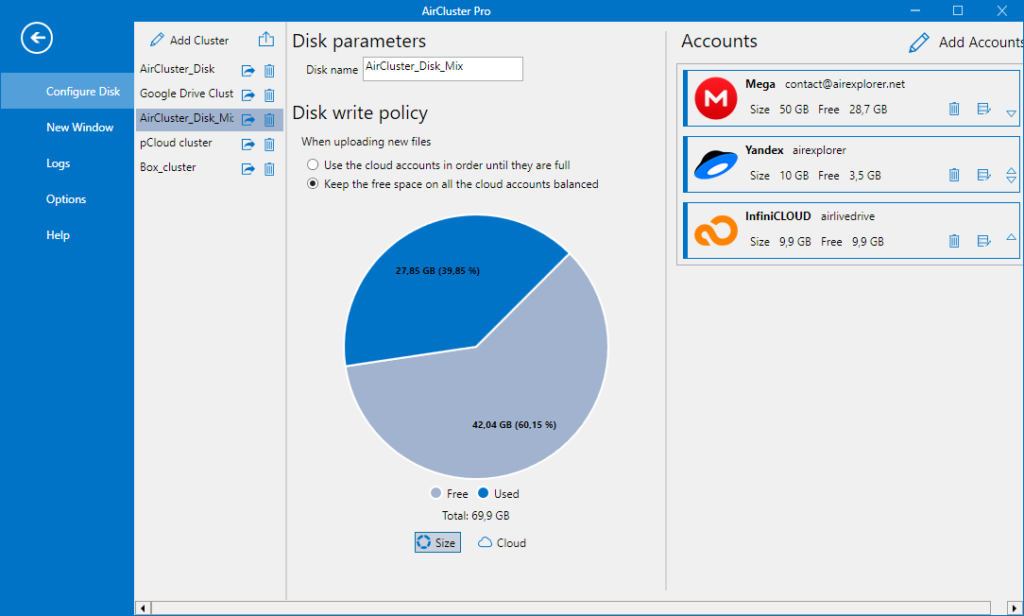
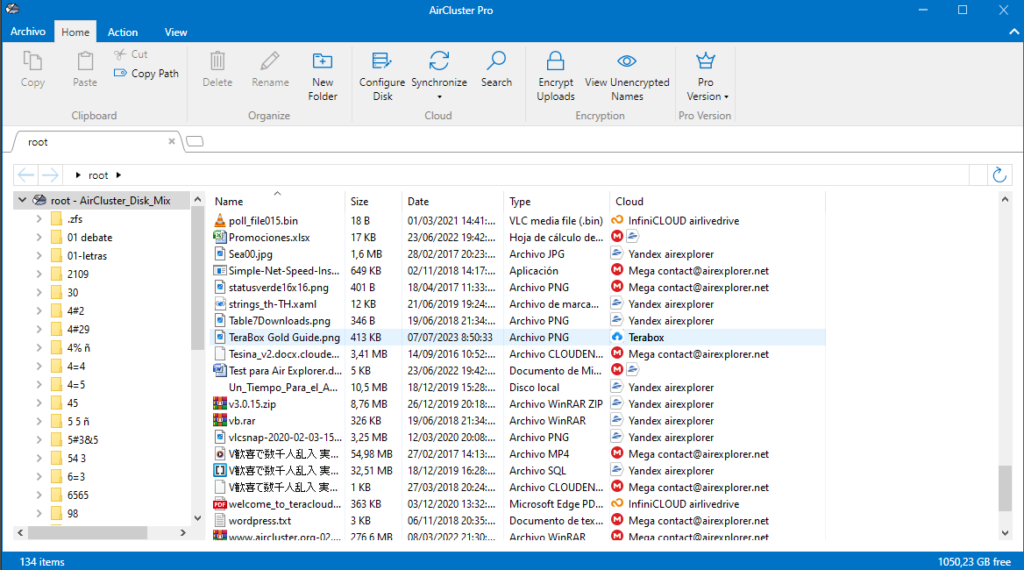
Air Cluster uses cloud pooling technology. It takes every cloud account you connect (Google Drive, OneDrive, MEGA, Dropbox, and 35+ others) and merges their free storage into a single virtual volume on your Windows machine. Instead of juggling separate accounts, you get one unified drive with the combined capacity of all of them. Air Cluster handles where files are stored automatically, based on the write policy you set.
MultCloud is built around transfer and sync. Its core strength is moving files from one cloud service to another without downloading them to your computer first, useful if you’re migrating from Dropbox to Google Drive, for example, or keeping two cloud accounts in sync.
Put simply: Air Cluster makes your storage bigger. MultCloud moves what you already have. Both are useful, just not for the same thing.
Privacy: Where Do Your Files Actually Go?
For users in the US, UK, and across Europe, data privacy is increasingly non-negotiable. This is where the two tools take very different approaches.
Air Cluster connects your computer directly to each cloud provider. Your files never touch Air Cluster’s servers. On top of that, Air Cluster’s built-in client-side encryption lets you encrypt files on your machine before they’re uploaded, meaning even the cloud provider can’t read them.
MultCloud routes file transfers through its own servers to execute cloud-to-cloud operations. This is how the service works by design, and it’s a legitimate trade-off for the convenience of browser-based transfers. However, it does mean a third party has access to your data during the process.

If you’re handling sensitive documents, business files, or personal backups, Air Cluster gives you a clear privacy advantage by keeping your data entirely under your control.
Which One Is Right for You?
Go with MultCloud if:
- Your main goal is migrating files from one cloud service to another.
- You prefer a browser-based tool with no software to install.
- You’re not on Windows, or you need to work across multiple devices.
Go with Air Cluster if:
- You have multiple free cloud accounts and want to use their combined storage as one.
- You need to back up large folders (video projects, RAW photos, datasets) that don’t fit in a single account.
- Privacy matters to you and you don’t want your files routed through third-party servers.
- You’re on Windows and want a stable, offline-capable desktop app with a built-in task scheduler.
Bottom Line
MultCloud is solid for one specific job: moving files between clouds. Air Cluster does something fundamentally different, it turns all your free cloud accounts into a single, large, encrypted storage volume you fully control.
If your storage is fragmented across accounts you’re barely using, Air Cluster is the faster fix. Download Air Cluster free and set up your first cluster in under five minutes.
You can check more information about more features here:
-Cloud Automation: Discover the Air Cluster Task Scheduler
-How to Create an Unlimited “Virtual Hard Drive” by Joining Your Free Clouds
-Stop paying for storage: How to create a “Giant cloud” by unifying your free accounts
