
Cloud Automation: Discover the Air Cluster Task Scheduler
In today’s digital ecosystem, information is the most valuable yet fragmented asset. It is common for users and businesses to distribute their files across multiple platforms such as Google Drive, OneDrive, Box, Mega, or Dropbox. However, managing these accounts manually is not only tedious but also increases the risk of data loss due to a lack of consistency.
The Task Scheduler of Air Cluster marks a turning point in multi-cloud management. With the native integration of its own Task Scheduler, the tool has evolved from a file manager into a fully autonomous backup and synchronization system.
The Power Base: Merging Clouds into a Single Cluster
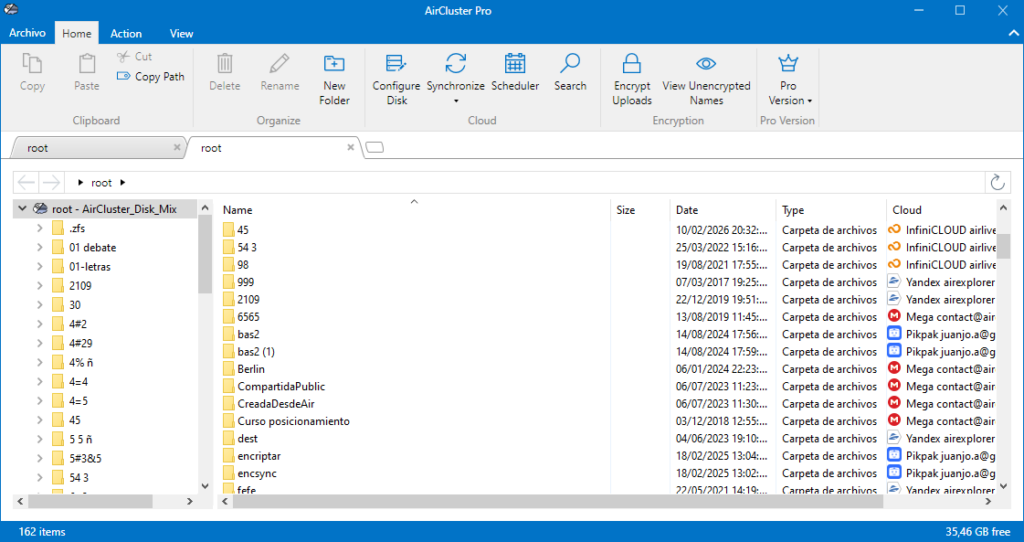
Before diving into automation, it is essential to understand the technology that makes Air Cluster unique: Disk Clustering. Unlike other managers that show clouds as separate units, Air Cluster allows you to aggregate the capacity of all your accounts to create a single, large virtual disk.
For instance, if you have three free accounts from different providers, you can merge them into a single cluster that Air Cluster will manage as one logical unit. This cluster is the ideal destination for your periodic backups, as the software intelligently distributes files based on your preferred disk policy (filling accounts in order or keeping free space balanced). Having all your storage unified is the essential first step for a robust backup strategy.
Advantages of Native Automation: Why Use the Built-in Scheduler?
Until recently, automating cloud tasks required advanced technical knowledge or the use of external operating system tools. Air Cluster has simplified this process by eliminating the need to leave the program. The advantages are clear:
- Simplicity and Centralization: You don’t need to configure scripts or open the Windows Task Scheduler. The entire workflow, from cloud connection to periodic execution, happens within the same interface.
- Consistency and Security: Human error is the leading cause of data loss. By automating, you guarantee that your backups are performed with the exact frequency you need, without relying on your memory to press a button.
- Resource Optimization: You can schedule heavy tasks to run during off-peak hours, such as overnight, ensuring that your connection’s bandwidth is available when you need it most during the day.
- Supervision via Logs: The system generates detailed logs that allow you to verify in seconds whether all tasks were completed successfully or if there were any network issues.

Step-by-Step Guide: How to Automate Your Tasks in Air Cluster
Automation in Air Cluster has been designed to be intuitive. Here is how to set up your system in three easy steps:
Step 1: Create and Save the Synchronization
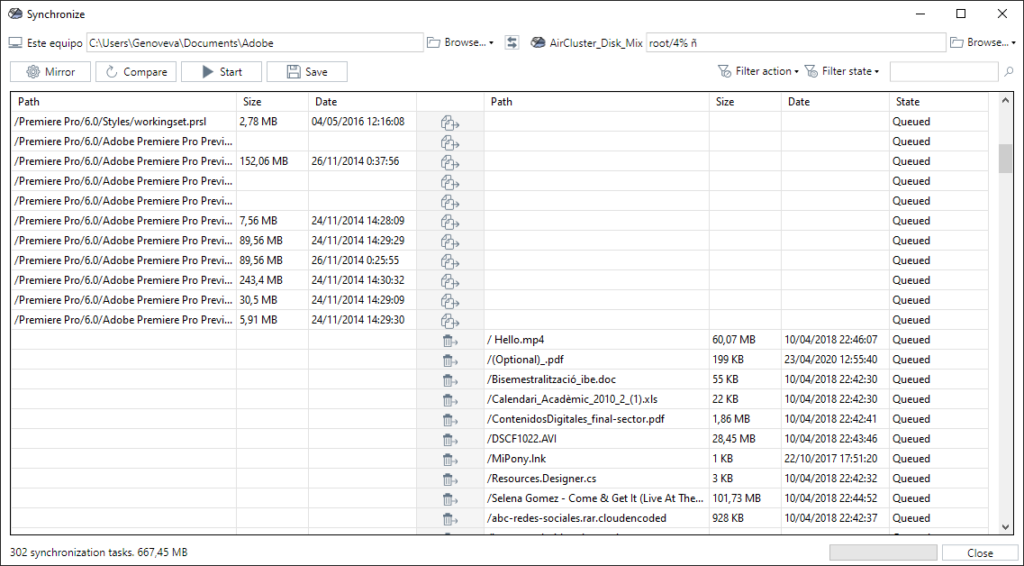
The first step is to define what we want to move and where. Access the Synchronization tool within Air Cluster. Select the source folder (it can be your local computer or a cloud cluster) and the destination folder, chooose the sync mode and save it.
Step 2: Access the Integrated Task Scheduler
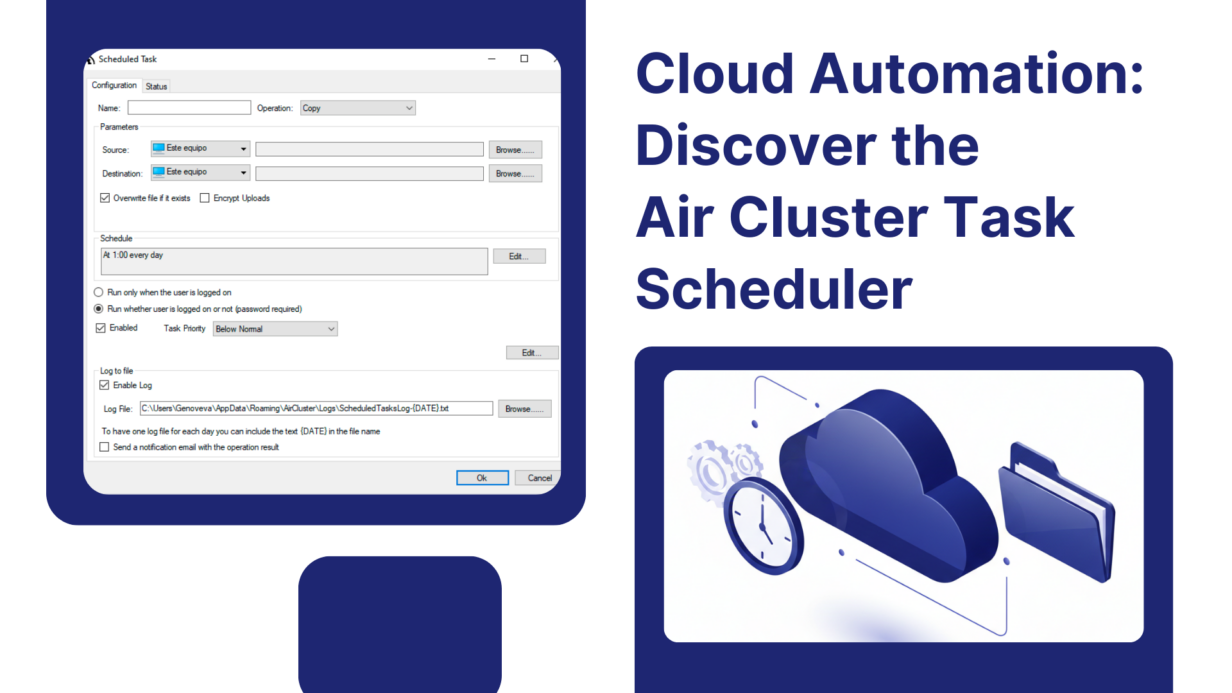
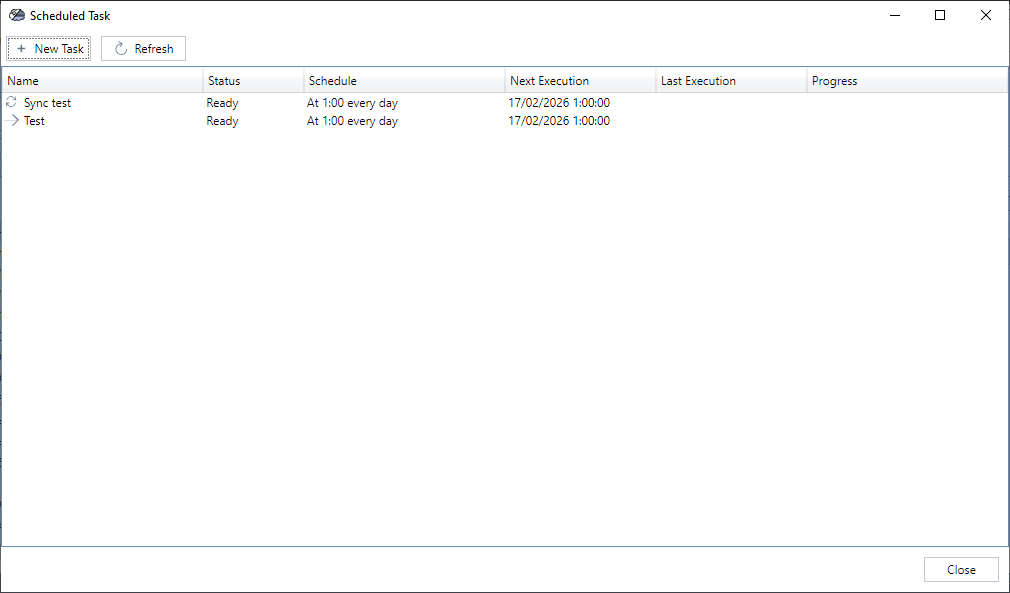
With the synchronization already configured and saved, go to the new Task Scheduler section within the Air Cluster menu. Here you will see a clean interface where you can add new tasks. Simply select “Add Task” and load the synchronization you saved in the previous step. Being integrated, the program automatically recognizes all the parameters of your clusters.
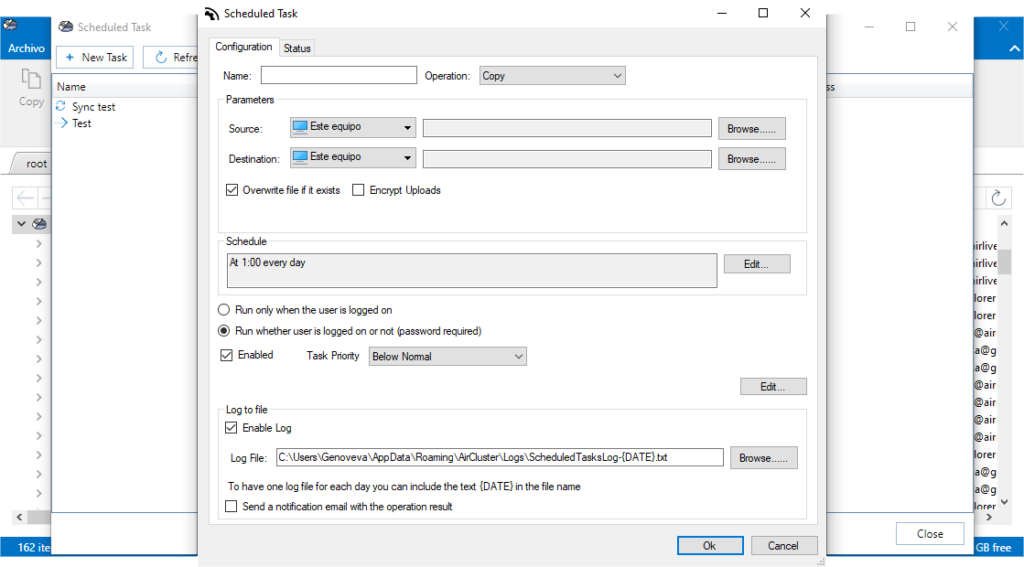
Step 3: Configure Frequency and Logs
This is the brain of the operation. In this panel, you can set the periodicity:
- Frequency: Choose whether the task should run daily, weekly, or at specific intervals of hours or minutes.
- Log Management: Enable the option to save logs. This is fundamental in professional environments, as it allows you to maintain an activity log for audits or simply for your personal peace of mind. Once configured, click “OK,” and Air Cluster will handle the rest.
Practical Use Cases
How can this change your daily routine?
- Photo Backup: Set up a weekly task to move all photos from your smartphone (previously synced to a cloud) to your high-capacity security cluster.
- Business Continuity: For professionals working with critical documents, an hourly sync ensures that in the event of any local failure, there is always a recent copy in the unified cloud.
- Multi-Cloud Redundancy: You can schedule a task that synchronizes a Google Drive cluster with an OneDrive cluster, ensuring your data exists in two different physical ecosystems automatically.
Conclusion
Automation is the pillar upon which modern digital security is built. Air Cluster has not only solved the problem of limited space through cloud merging but, with its new native Task Scheduler, has removed the final barrier for the user: manual management.
By centralizing cluster creation, sync configuration, and periodic scheduling into a single tool, Air Cluster solidifies its position as the most robust, efficient, and user-friendly multi-cloud manager on the market. Your data will always be where it needs to be, without you having to lift a finger.
You can check more information about more features here:
-How to Create an Unlimited “Virtual Hard Drive” by Joining Your Free Clouds
-Stop paying for storage: How to create a “Giant cloud” by unifying your free accounts
-Cloud‑to‑cloud and PC‑to‑cloud migration made easy
