

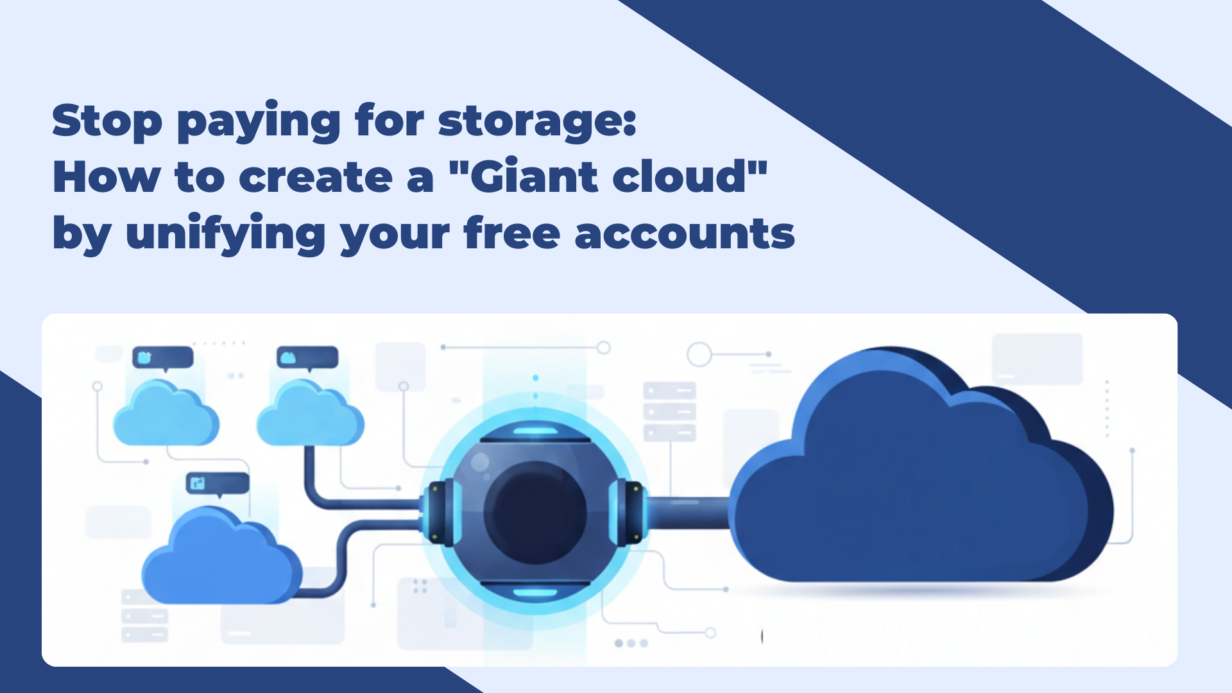
Stop paying for storage: How to create a “Giant cloud” by unifying your free accounts
The solution to “Storage fragmentation”
Most users suffer from digital sprawl: critical data is scattered across four or five different clouds, yet none of them has enough free space for a full backup of a high-res photo library or a large video project.
Air Cluster solves this by introducing Cloud Pooling. Unlike traditional multi-cloud managers (like Air Explorer), Air Cluster creates a virtual abstraction layer. For you and your operating system, there aren’t ten small accounts anymore; there is one single, massive, and unified storage volume.
Advanced optimization features
- Intelligent file distribution: Air Cluster doesn’t just “add” space; it balances the load. If you upload a 5GB file, the engine automatically calculates which cloud in your cluster has the capacity and hosts it there transparently.
- Pro-grade filtering: To keep your “Giant Cloud” lean, you can set advanced exclusion rules. Tell the cluster to ignore
.tmpfiles, system caches, or files over a specific size (e.g., >2GB) to ensure every byte of your pool is used for high-value data.

Setting up your backup cluster in 3 Steps
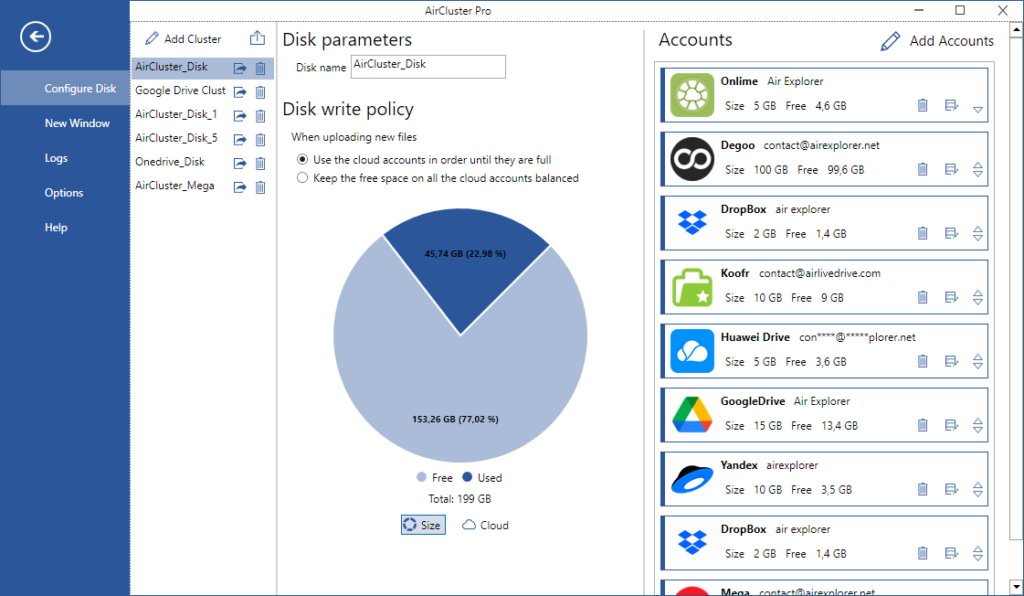
- Build the cluster: Open the app, create a cluster and add your accounts (Google Drive, OneDrive, MEGA, etc.). You will see a real-time capacity graph reflecting the total combined storage.
- Select your logic: Air Cluster allows you to decide exactly how your data is distributed across the pooled accounts, fill accounts in order (Sequential) or keep free space balanced
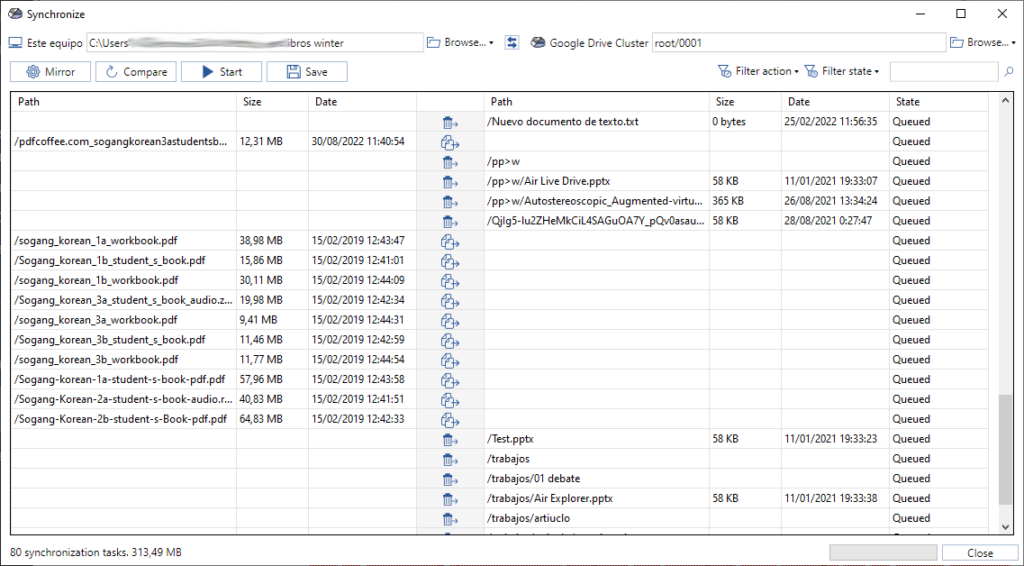
- Create a sync: Select your local source and the “Cluster” as the destination. Air Cluster handles the heavy lifting of distributing files across providers.
Strategic FAQ: Master your storage
1. Can I pool multiple accounts from the same provider?
Yes. This is Air Cluster’s “killer feature.” You can link five Google Drive accounts to create a 75GB unified pool, allowing you to maximize free tiers before ever considering a paid subscription.
2. What happens if one cloud in the cluster reaches its limit?
The system is dynamic. If Account A is full, Air Cluster automatically reroutes new data to Account B or C. Your workflow is never interrupted by “Out of Space” errors as long as the cluster has room.
3. Is it safe to centralize my clouds this way?
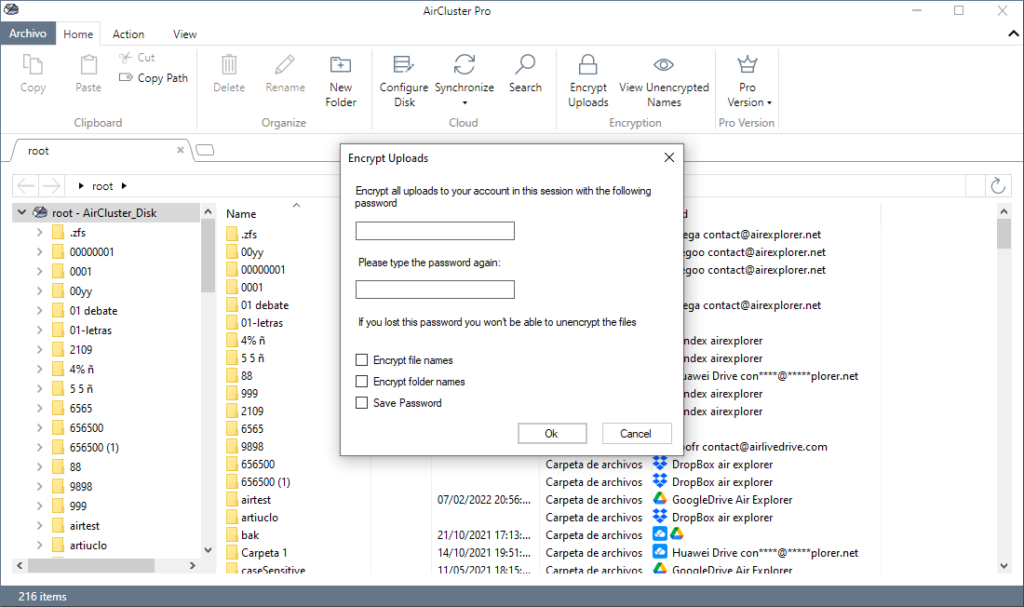
Absolutely. Air Cluster uses a direct-to-cloud connection, no intermediary servers ever touch your data. For sensitive backups, you can enable end-to-end encryption, ensuring your files are password-protected before they even leave your computer.
4. Does Air Cluster download all my cloud files to my computer to merge them?
No. Air Cluster operates directly in the cloud. It only uses a minimal amount of local resources to manage the transfer or synchronization process. The goal is for your data to reside in the virtual cluster, saving you valuable physical hard drive space.
5. How is Air Cluster different from just using Air Explorer?
While Air Explorer is perfect for managing each cloud account individually and moving files between them, Air Cluster is purpose-built for unification (Cloud Pooling). Air Cluster is the superior choice for high-volume backups that exceed the capacity of a single account, as it allows you to treat the sum of all your clouds as one large-capacity drive.
| User need | Recommended tool | Key benefit |
| Transfer files between accounts | Air Explorer | Direct management and file moving. |
| 500GB+ Backup using free clouds | Air Cluster | Fuses multiple accounts into one. |
| Mount clouds as local drives | Air Live Drive | Zero-footprint access via File Explorer. |
| Protect data against server outages | Air Cluster | Multi-cloud replication (RAID-style). |
Conclusion
Air Cluster is more than a convenience tool; it’s a storage architecture solution. It empowers home users and IT professionals to build backup infrastructures that previously required expensive NAS hardware or enterprise-level subscriptions.
You can check more information about more features here:
-Cloud‑to‑cloud and PC‑to‑cloud migration made easy
-Free way to join Google Drive, Dropbox and Mega
